TL;DR:
High-converting B2B video editing requires sharp narrative discipline, immediate value delivery, and structured post-production workflows that convert raw footage into measurable sales pipeline. To hold executive attention, editors must replace vanity-driven corporate intros with rapid pacing, visual proof, and clear tiering between premium brand assets and agile social content.
Forget about flashy transitions or cinematic lens flares. Enterprise buyers only care about one ruthless thing: whether your video holds their attention long enough to justify spending their valuable time.
The real magic happens inside your editing software. That’s where raw footage gets whipped into a high-converting marketing asset that actually builds your sales pipeline.
I’ve seen companies blow $50,000 on a high-end shoot just to ruin it with terrible editing. If your video takes half a minute just to spin a corporate logo, your prospect is already gone.
Every single frame needs to earn its place. This guide shows you the best practices for editing B2B marketing videos to fix low viewer retention and keep demanding internal stakeholders happy.
Dynamic Workflows: Best Practices for Editing B2B Marketing Videos to Enhance Storytelling
B2B clients don’t buy products; they buy quick relief from their biggest daily operational headaches. Your pacing needs to reflect that human truth. Editors must use smart corporate video editing tips to enhance brand storytelling that put the viewer’s immediate needs way ahead of company vanity.
The “Hook, Line, and Sinker” Framework
Top video teams use a simple three-part timeline layout to grab and lock in executive attention.
[00:00 – 00:05] THE HOOK: Present the core pain point or disruptive metric. No intros.
│
▼
[00:05 – 02:00] THE LINE: Introduce A-Roll interviews paired with contextual B-Roll.
│
▼
[02:00 – End] THE SINKER: Deploy a single, direct, uncompromised Call to Action (CTA).
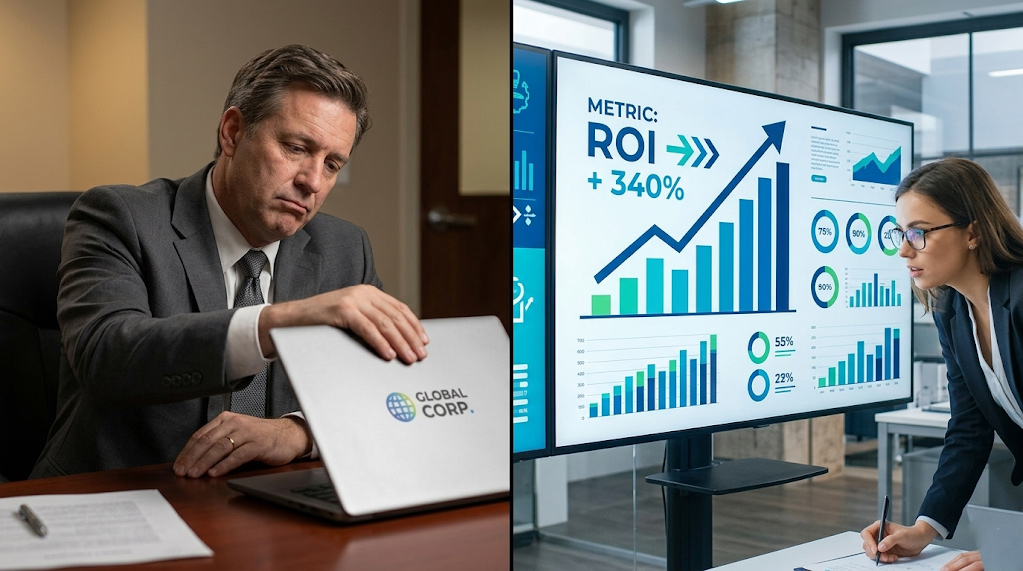
- The First 5 Seconds (The Hook): Kill the generic, self-important 10-second logo intros because modern attention spans are incredibly short. Start immediately with a brutal industry stat or a massive pain point. If it’s a security video, skip the speaker’s name and start with: “Last year, businesses lost $2.4 million to basic data breaches.” Drop their title on screen a few seconds later.
- The Middle (The Line): Keep your audience hooked by feeding them proof. Cut back and forth between A-roll interviews and helpful B-roll footage like software walkthroughs. Staring at a talking head for more than seven seconds straight makes people bored.
- The Outro (The Sinker): Give your viewers one clear action step. Don’t ask them to visit a site, read a whitepaper, and call sales all at once. Pick one goal and strip away all other visual noise so they know exactly what to do next.
Sound Design as a Storytelling Tool
Music completely dictates how a viewer feels about your business video. I hate generic, upbeat corporate tracks because they sound incredibly cheap and amateur.
Use cinematic music that builds up during big moments. Keep the bass tones quiet when people speak so the music doesn’t drown out human voices. Change the track’s rhythm when you switch from discussing the problem to showing your solution.
Visual Clarity: How to Effectively Incorporate Motion Graphics into Corporate Videos
Sometimes video footage can’t explain an abstract idea like cloud architecture or financial growth metrics. That’s exactly when you need clean animations. You must learn how to effectively incorporate motion graphics into corporate videos to simplify data rather than showing off useless design tricks.
- Keep it Brand-Consistent: Always match your company hex codes and fonts perfectly. Lazy animations look terrible and ruin your brand trust instantly.
- The 3-Second Rule: Leave text callouts on screen long enough for a slow reader. Aim for two or three words per second.
- Animate the Data: Don’t use a flat table or a boring static chart. Make your growth lines actually climb and expand on screen.
- Less is More: Graphics should clear up confusion instead of creating visual clutter. Use tiny accents and simple boxes.
Elevating Technical Narratives with Kinetic Elements
Editors and animators need to work together on a single visual style.
[Raw Screen Recording] ──► Strip Out Background Noise/UI ──► [Simplified User Interface (SUI)] ──► Animate Key Value Prop
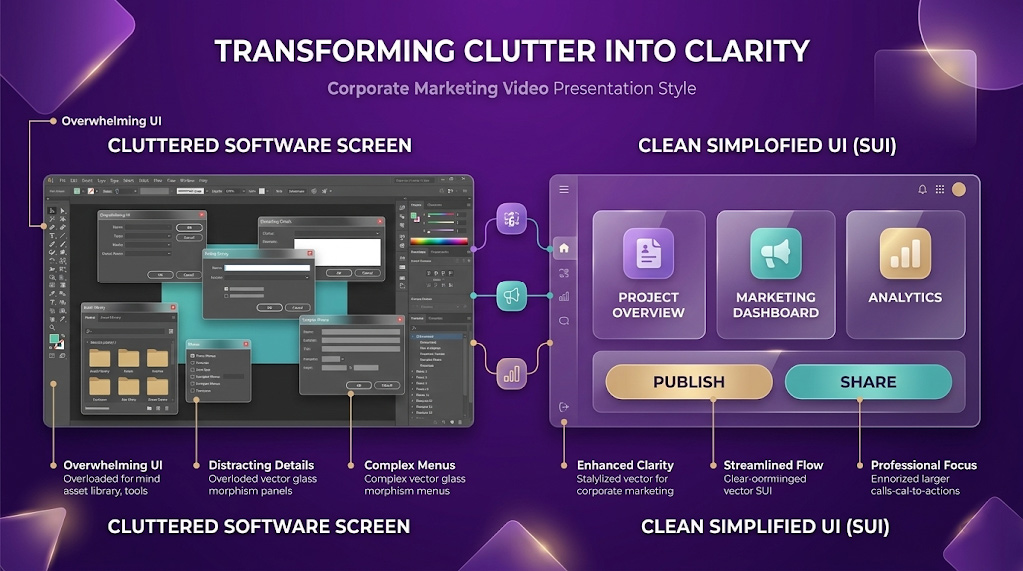
If you show software, don’t use a messy, low-res screen recording. Create a clean, simplified user interface that hides browser bars and pop-ups so viewers can focus on your actual value prop.
Keep your animation physics identical throughout the entire video asset. If your text slides in smoothly from the left, make sure your charts use that exact same speed profile. This small detail keeps the viewer’s brain relaxed and focused on your message.
Frictionless Post-Production: Common Challenges in Corporate Video Post-Production and Solutions
Editing is usually where corporate video projects stall, money disappears, and great ideas die. This slowdown happens because of bad workflows and too many managers sharing conflicting opinions.
Mapping out common challenges in corporate video post-production and solutions keeps your marketing team moving fast without hurting final video quality.
Challenge 1: Feedback Bottlenecks & Endless Revision Loops
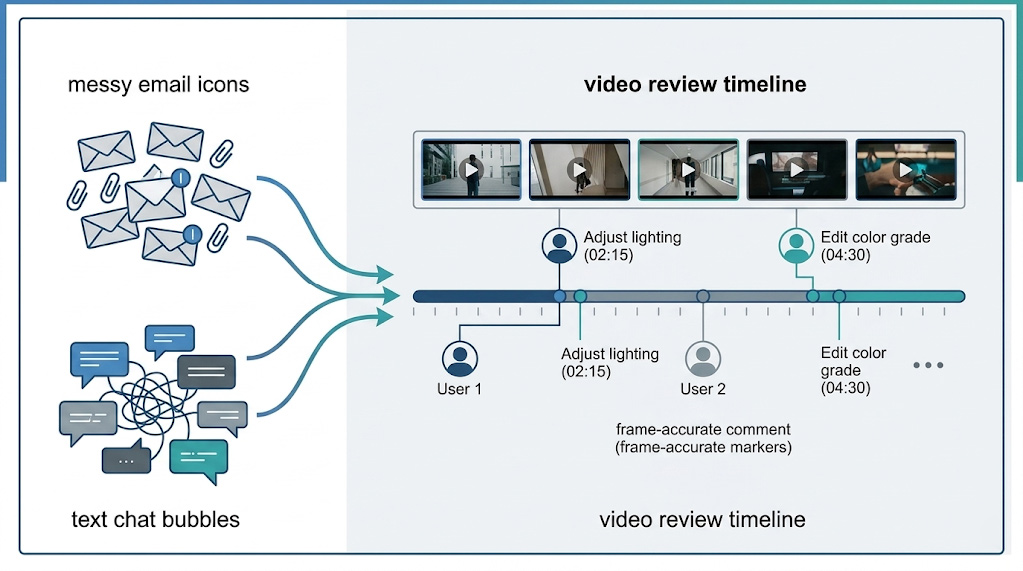
Workflows break when you email loose video files to five different departments. Everyone gives vague notes like “make it punchier,” leading to massive version fatigue.
- The Solution: Use a centralized platform like Frame.io so stakeholders can leave notes on exact video frames. Limit your team to two rounds of review. Have one manager collect all internal feedback, delete any contradictions, and send a single checklist to the editor.
Challenge 2: Inconsistent Brand Identity Across Distributed Video Assets
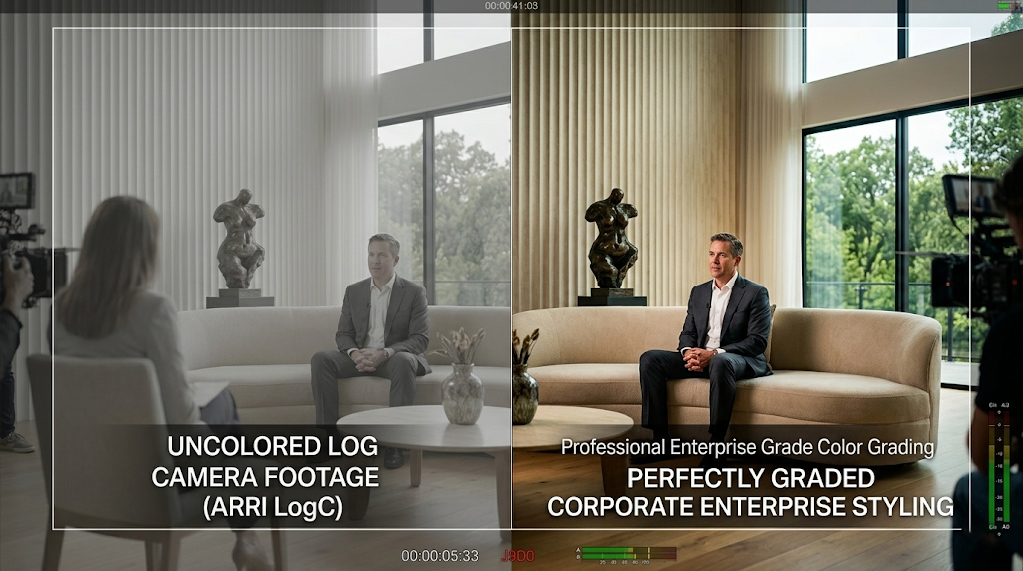
Your brand gets diluted when you hire multiple freelance editors or agencies. One uses a heavy font while another uses a totally different style or color grade.
- The Solution: Set up a shared cloud folder with approved text templates, logos, and custom color profiles. This keeps your visual style completely uniform whether your video was edited in Toronto or Tokyo.
Challenge 3: Audio Discrepancies and Distracting Background Noise
Echoey boardrooms and noisy corporate offices ruin great footage. Nothing kills an edit faster than low-quality sound or sudden volume jumps.
- The Solution: Fix your audio levels using multi-band compression inside your editing software. Use AI noise-removal tools to isolate voices, and set up automatic audio ducking. This lowers the music automatically whenever a person speaks so the dialogue stays loud and clear.
Scale & Efficiency: Mastering Company Video Editing vs. Everyday Business Video Editing
You shouldn’t spend months editing a quick social media clip or an internal team update. Save your heavy post-production budget for high-stakes brand anthems.
To scale your content production without burning out, separate your video assets into two distinct buckets: company video editing and business video editing.
| Corporate Post-Production |
| Premium Company Video Editing | Agility Business Video Editing |
| High-end color grading | Quick jump-cuts & auto-captions |
| Bespoke 2D/3D motion graphics | Standardized templates |
| Long-tail, core brand assets | Fast-turnaround, high-volume assets |
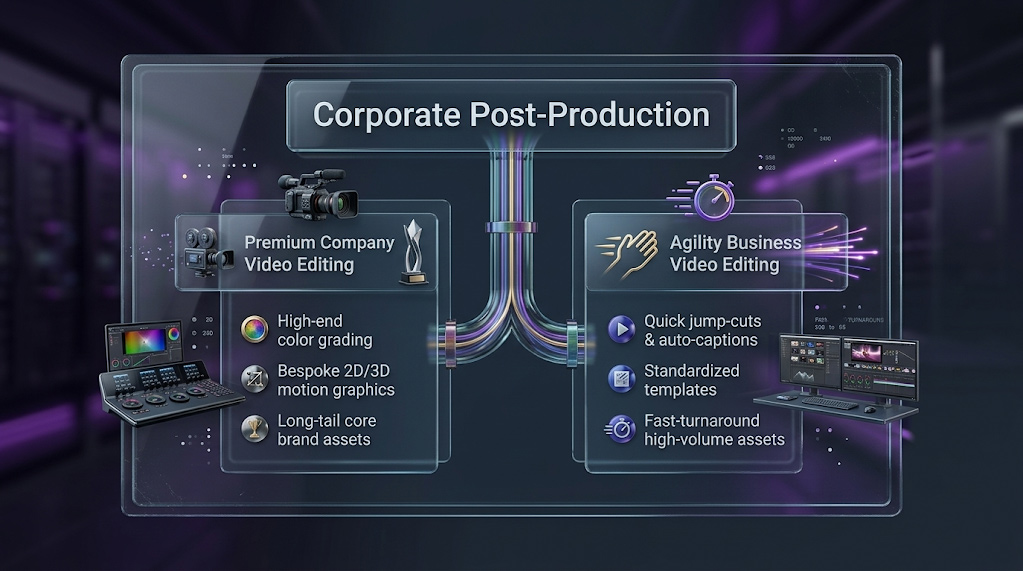
Classifying every new project this way protects your time and aligns internal expectations.
The Post-Production Hierarchy
| Metric / Need | Premium Company Video Editing | Agility Business Video Editing |
| Asset Type | Brand Anthems, Keynote Presentations, Hero Case Studies. | Social Clips, Internal Updates, Quick LinkedIn Industry Tips. |
| Editing Style | Custom color grading, bespoke sound design, unique animations. | Fast jump-cuts, auto-captions, template lower-thirds. |
| Focus & Turnaround | Cinematic look, strategic alignment, long production timeline. | High volume, authentic feel, 24-48 hour turnaround. |
| Primary Goal | Macro brand equity, corporate positioning. | Quick engagement, consistent community touchpoints. |
Navigating the Two Tiers for Maximum Resource Efficiency
When you tackle company video editing, focus entirely on perfection. Spend time fixing skin tones, balancing audio tracks, and building custom graphics to support long-term brand equity. These high-value videos belong on your homepage or major sales landing pages.
Choose business video editing when you need speed and high volume. If a product manager records a quick industry tip, don’t waste days polishing it. Use automated captions, clean cuts, and basic templates to push that content out while the idea is fresh.
Conclusion
High-converting B2B video requires tough narrative discipline and smart pacing. Post-production isn’t just about cleaning up raw clips; it’s your absolute best chance to command attention and win deals.
Fix your hooks, use clean sound design, and split your projects into premium or agile tracks to turn video into a predictable revenue driver.
About Shot One Studio
Shot One Studio helps growing companies scale their video workflows. We combine great storytelling with organized pipelines to take the pain out of post-production. From high-end mini-documentaries to daily social content, we make your business look premium.
Want to fix your slow post-production pipeline? Contact Shot One Studio today to turn raw footage into high-converting B2B assets.
Frequently Asked Questions
1. What are the best practices for editing B2B marketing videos to keep executives from clicking away?
The most critical best practice is optimizing the first 5 seconds of your video (the “Hook”). You must eliminate lengthy corporate logo animations and immediately present a high-stakes industry pain point or a disruptive metric. Additionally, maintain structural discipline by balancing A-roll interview footage with relevant B-roll visual proof every 7 seconds to prevent cognitive fatigue and hold a decision-maker’s attention.
2. How can we use corporate video editing tips to enhance brand storytelling without sounding generic?
To enhance brand storytelling, replace self-congratulatory corporate timelines with a customer-centric “Hook, Line, and Sinker” framework that focuses on solving operational headaches. Creatively, avoid generic “elevator synth” stock music. Instead, utilize cinematic sound design with low frequencies that do not compete with human speech, changing the track’s rhythm subtly when transitioning from the “problem” to your “solution.”
3. How to effectively incorporate motion graphics into corporate videos without cluttering the screen?
When learning how to effectively incorporate motion graphics into corporate videos, apply the “less is more” rule. Use minimal accents and framing boxes rather than overwhelming full-screen particle effects. Keep text callouts on screen long enough to read comfortably (2 to 3 words per second), ensure all visual elements strictly match your brand guidelines, and use a Simplified User Interface (SUI) instead of cluttered, low-resolution screen recordings.
4. What are the most common challenges in corporate video post-production and solutions for scaling workflows?
The top three bottlenecks are endless feedback loops, inconsistent visual assets, and poor audio quality. You can overcome these common challenges in corporate video post-production and solutions by:
- Mandating a centralized review platform (like Frame.io) and capping internal revisions to two rounds.
- Establishing a shared cloud library of approved text templates, logos, and proprietary Look-Up Tables (LUTs).
- Implementing multi-band compression, AI noise removal tools, and precise audio ducking inside your editing software.
5. What is the difference between company video editing and business video editing?
The distinction lies in resource allocation and turnaround times:
- Company video editing is reserved for high-stakes, long-tail assets (like brand anthems and hero case studies) that require meticulous manual color grading, custom sound design, and premium cinematic polish.
- Business video editing optimizes for speed, volume, and rapid market responsiveness (like quick social clips or internal updates). It relies on automated captions, clean jump-cuts, and pre-built templates to turn content around within 24 to 48 hours.