Quick answer: Most companies film a trade show or corporate event, publish one highlight video, and move on. The footage they paid for then sits on a hard drive. This guide explains how to plan an event video lead generation strategy so your content keeps working for up to 12 months after the event.
TL;DR
- Most event video is used once and forgotten. That is a waste of a significant investment.
- The decision to repurpose should be made before the shoot – not after – so the footage is filmed with that plan in mind.
- One event shoot can produce a highlight reel, a product demo, customer stories, social clips, sales enablement content, and a long-form piece – all from the same day of filming.
- Repurposed video that generates leads needs a clear next step for the viewer. Views without a destination are just brand awareness.
In This Guide
- 1. Why most event video stops working after day one
- 2. What repurposing actually means
- 3. The seven assets you can get from one event shoot
- 4. How to plan for repurposing before the camera rolls
- 5. Where to put each piece of content
- 5.5. How AI search and transcripts affect video discoverability
- 6. How to turn video content into actual leads
- 7. FAQs
Who this guide is for
Marketing directors, brand managers, and event teams at Canadian companies who invest in video at trade shows, conferences, and corporate events – and want to get more out of that investment than a single highlight reel.
1. Why most event video stops working after day one
Here is a pattern that plays out at trade shows and corporate events across Canada every year.
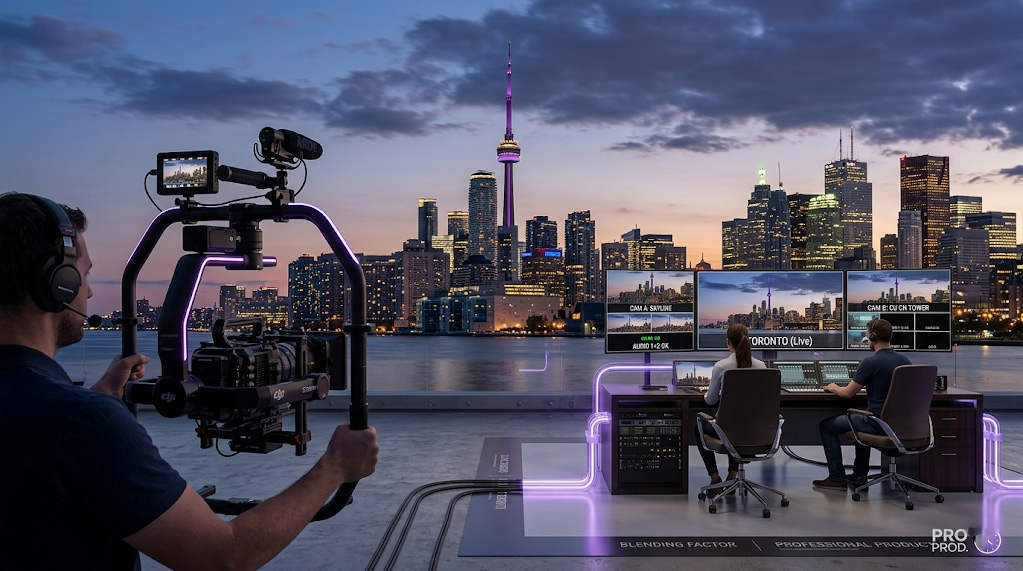
A company invests in professional video production at an industry event. A crew spends two days filming – booth conversations, product demonstrations, executive interviews, customer reactions. The footage is edited into a highlight reel. The reel goes on LinkedIn and the company website. It gets a respectable number of views in the first week.
Then it stops. The footage sits on a hard drive. Nobody goes back to it. In six months, the company books another event shoot and starts the cycle again. Meanwhile, a significant lead generation opportunity disappears with it.
The waste here is not just financial. It is strategic. That two-day shoot produced hours of footage featuring real customers, real product demonstrations, real executives speaking on the record about what the company does and why it matters. Almost none of that material ever reaches the people who need to see it. (For companies considering whether to handle video in-house, see our guide on the risks of DIY corporate video).
The reason it happens is simple: repurposing is treated as something you do with leftover footage, not something you plan for. When you plan for it, the same shoot can function as an event video lead generation strategy – producing content that, when executed well, keeps working for months after the event.
2. What repurposing actually means
Repurposing does not mean taking a finished video and uploading it to a different platform. That is reposting. It rarely works because the content was not built for the new context.
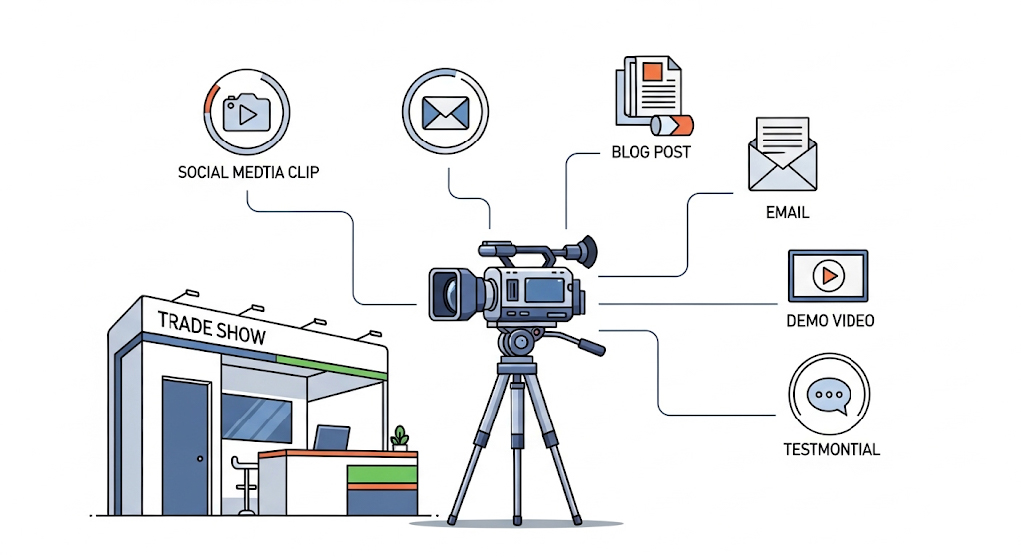
Real repurposing means taking the raw material – the footage, the interviews, the product shots – and editing it into multiple distinct pieces, each built for a specific audience and a specific channel.
The difference matters because your audiences are different. The person who watches a three-minute product demonstration on YouTube is not the same person who watches a 30-second clip on LinkedIn during their commute. The procurement manager who wants to understand exactly how a product works is not the same person as the executive who wants to understand why it matters. Giving all of them the same video is not a content strategy. It is a compromise.
Repurposing is not an editing job. It is a strategic decision about who you are trying to reach, what they need to hear, and where they are most likely to see it. The editing comes after those decisions are made.
3. The seven assets you can get from one event shoot
A single well-planned event shoot can produce all of the following. None of these require additional filming days if the original shoot is planned with this in mind.
The highlight reel
This is the video most companies already produce. A two to three-minute overview of the event – the energy of the booth, the product in action, people engaging with the brand. It works well for LinkedIn and the company website in the days immediately after the event.
Its weakness is that it tries to show everything and persuade nobody in particular. It is useful for brand awareness but rarely generates leads on its own. It should be the starting point of your content plan, not the end of it.
The product demonstration
A focused three to five-minute video showing exactly how the product or service works. No event footage, no crowd noise, no distractions – just the product, demonstrated clearly, by someone who knows it well.
This is the video your sales team sends to a prospect who asks how it works. It is the video that sits on your product page and answers the question a buyer has before they are ready to book a meeting. It has a much longer shelf life than the highlight reel and a much higher conversion value.
Customer stories
If real customers attended the event, this is your most valuable asset. A genuine customer talking about a specific problem your product solved for them – filmed in a clean interview setup at the event – is more persuasive than anything your marketing team will write.
These do not need to be long. Two minutes is plenty. They need to be specific. The customer should talk about a real situation, a real challenge, and a real result. Vague praise is easy to ignore. Specific detail is hard to dismiss.
Executive thought leadership
An interview with your CEO, a senior director, or a recognised expert from your organisation, speaking about the bigger problem your industry is facing and where things are heading. This is not about the product. It is about demonstrating that your organisation understands the space it operates in.
This content performs well on LinkedIn, works as an introduction to longer written content, and positions your company as worth listening to – not just worth buying from.
Short social clips
Fifteen to sixty seconds, cut from the longer footage, built specifically for the platform they will live on. A sharp moment from the product demonstration. A single strong quote from a customer. A ten-second clip of the product in action with a clear caption.
These are not cut-down versions of the longer videos. They are standalone pieces that make sense without any context. They work as paid social ads, organic posts, and content for your sales team to share directly with prospects.
Sales enablement clips
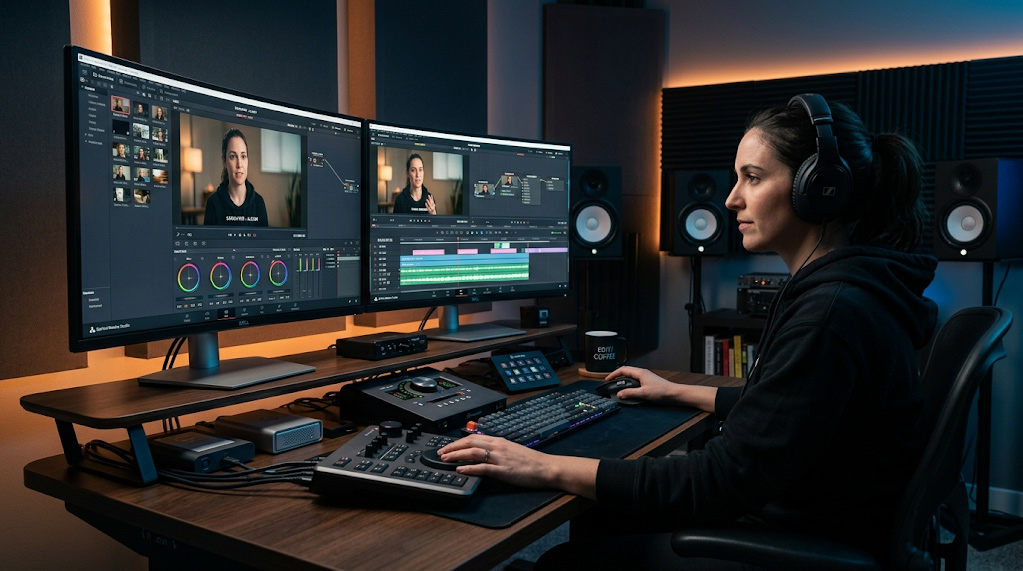
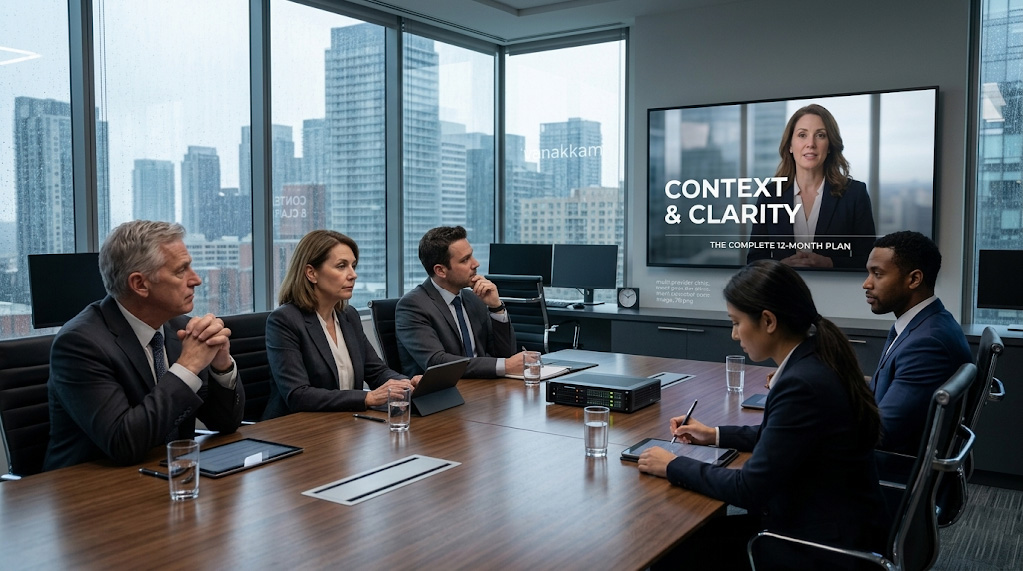
Short internal videos that give your sales team a consistent set of talking points for the most common situations they face – objections, comparisons, specific use cases. These are cut from the event footage but edited and packaged specifically for sales use.
A sales rep who can pull up a 90-second customer story on a tablet during a prospect conversation is more effective than a sales rep working from memory and a brochure. This content is almost never produced as part of a standard event shoot. When it is, its impact can be measured more directly than awareness content – because it lives inside the sales process, not outside it.
The long-form educational piece
A 10 to 15-minute video that goes deep on a topic your audience genuinely wants to understand. Built from the event footage – extended interviews, full product demonstrations, panel discussion highlights – this is the content that earns real engagement from people who are seriously evaluating your product or your organisation.
It does not get the view counts of a 30-second clip. It does not need to. The people who watch 12 minutes of content about a specific topic are buyers, not browsers.
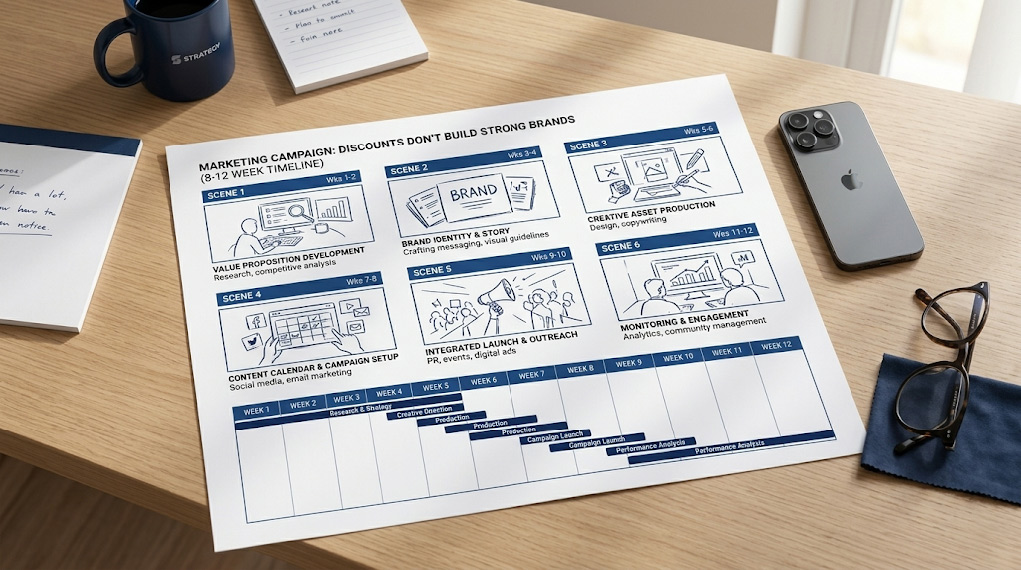
What 12 months of content from one event shoot actually looks like:
- Week 1: Highlight reel goes live on LinkedIn and the company website. Short teaser clips posted on social.
- Week 2-3: Product demonstration published on YouTube and the product page. Sales team receives their enablement clips.
- Month 2: First customer story goes live. Shared directly with prospects by the sales team.
- Month 3: Executive thought leadership clip published on LinkedIn. Paired with a written post or article.
- Months 4-6: Remaining customer stories released one at a time. Each one shared in relevant email sequences.
- Months 6-9: Long-form educational piece published on YouTube and gated on the website. Used in paid social campaigns targeting warm audiences.
- Months 10-12: Short clips repurposed as paid ads. Sales enablement library reviewed and refreshed where needed.
4. How to plan for repurposing before the camera rolls
Everything in the previous section is only possible if the shoot is planned for it. Most event shoots are not. The same planning discipline applies to product launches – if you are planning a launch alongside an event, see our guide on product launch video strategy Canada [LINK: /blog/product-launch-video-strategy-canada].
A standard event shoot brief looks like this: capture the booth, get some interviews, film the product in action, make it look good. That brief produces footage that is fine for a highlight reel and not much else. The interviews are filmed against the noisy backdrop of a busy exhibition hall. The product shots are wide and contextual. The customer conversations are casual and unstructured.
A repurposing-ready shoot brief looks different. It includes:
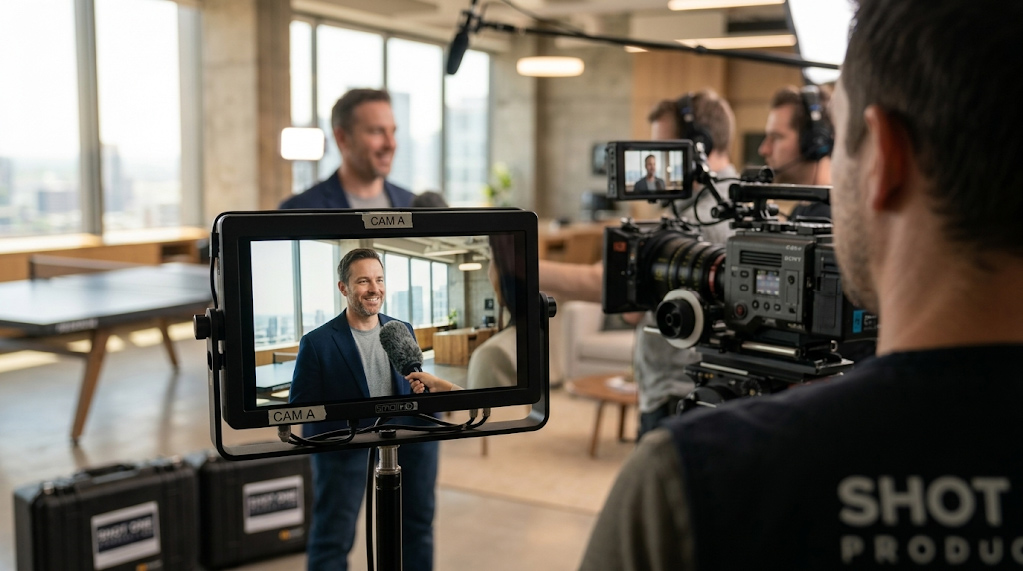
- A quiet interview setup – a corner of the booth, a meeting room, or a nearby space – where customers and executives can be filmed in a clean environment that works for standalone video.
- A structured interview guide for each customer, covering the specific questions that will produce usable story content: what was the problem, what changed, what would they say to someone in a similar situation.
- A dedicated product demonstration segment filmed in a controlled setting, separate from the general event footage.
- Close-up product shots and detail footage that can be used as cutaways in multiple different videos.
- A clear list of the assets the shoot needs to produce, agreed before filming begins.
Tell the production team what you plan to do with the footage before they film a single frame. A team that knows the footage will be repurposed will make different decisions on the day. A team given the brief after the event is working with material that was not designed for it.
5. Where to put each piece of content
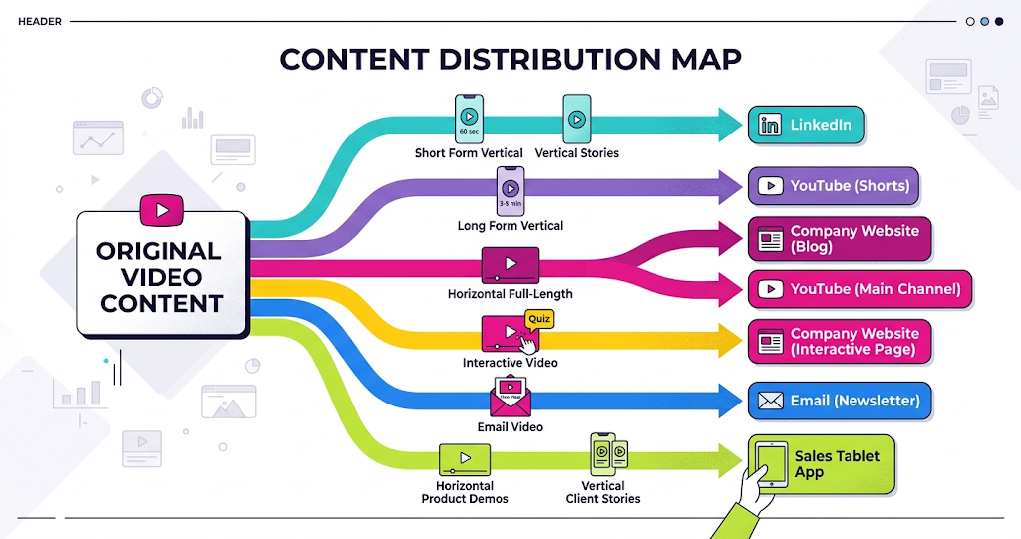
Different content belongs in different places. Putting everything everywhere is not a distribution strategy.
Short clips, executive thought leadership, and customer story highlights. LinkedIn rewards content that feels personal and specific – a single strong insight from an interview, a moment from a product demonstration, a direct quote from a customer. According to LinkedIn’s own marketing guidance, video posts tend to generate higher engagement than static content among professional audiences, though organic reach depends heavily on posting frequency and audience relevance. Longer videos (over three minutes) are generally better suited to paid campaigns targeted at specific audiences than to organic posts.
YouTube
Product demonstrations, long-form educational content, and extended customer stories. YouTube is the world’s second-largest search engine, according to Google. People go there with specific questions. Your content should be titled and described around the questions your buyers are actually asking – not around your brand or event name. A video titled ‘Shot One Studio at Trade Show 2026’ will not be found by anyone outside your existing audience. A video titled ‘How to reduce equipment onboarding time – customer story’ will.
Your website
Product pages should have demonstration videos. Customer story pages should have testimonial videos. A resources or insights section should have longer educational content. Your website is the one place you own the audience and can track what they watch, how long they watch it, and what they do next. It should have more video on it than any other channel.
Video thumbnails in email sequences are widely used by sales and marketing teams because they tend to draw more clicks than static images – though results vary by audience and context. HubSpot and other marketing platforms have documented higher click-through rates for emails featuring video thumbnails compared to image-only emails, particularly in professional and enterprise sales contexts. A short clip from a customer story sent to a prospect who has shown interest in a specific product category is a warmer follow-up than another written email. Sales teams should have a small library of short clips they can use at the right moment in a conversation.
Paid social
Short clips from event footage – 15 to 30 seconds, captioned, with a specific call to action – are commonly used in paid campaigns on LinkedIn and Instagram. The advantage of event footage over polished studio content is authenticity. Real customers, real environments, and real moments tend to carry more weight in paid social than brand-produced content – though performance depends on targeting, offer, and platform algorithm at the time.
5.5. How AI search and transcripts affect video discoverability
In 2026, video content is increasingly surfaced not just through traditional search results but through AI tools – Google AI Overviews, Perplexity, and ChatGPT. These tools index text, not video files. A video with no accompanying transcript, no descriptive page copy, and no supporting written content is effectively invisible to AI search.
This matters for repurposed event video because most companies upload footage without supporting text. The video exists but cannot be found by anyone who did not already know to look for it.
Three things make video content discoverable by both search engines and AI tools:
- Transcripts – a full text transcript of the video, published on the same page as the video. Search crawlers and AI indexing tools read the transcript and understand what the video is about.
- Descriptive page copy – a short written summary on the page that uses the language your audience actually searches for. Not ‘highlights from our booth at Trade Show X’ but ‘how Company X reduced onboarding time by 40 percent – customer story.’
- FAQPage and VideoObject schema – structured data added to the page code that tells search engines and AI tools exactly what the video contains, who it is for, and what questions it answers.
Shot One Studio can advise on transcript production as part of the post-production process. The written elements are typically handled in the CMS at the time of publishing.
6. How to turn video content into actual leads
A view is not a lead. Most event video generates views and stops there because nobody planned what should happen after the view. Lead generation from video is not accidental – it is the result of three deliberate decisions made before the content goes out.
A specific next step
Every piece of video content needs a destination. Not a vague ‘visit our website’ – a specific page, a specific offer, a specific action. A product demonstration should end with a link to book a product trial. A customer story should link to a case study or a contact form. A thought leadership clip should connect to a longer piece of content or a webinar registration.
The next step should feel like a natural continuation of what the viewer just watched. If someone has spent three minutes watching how your product works, the most relevant next step is not your homepage. It is a free consultation, a live demonstration, or a trial offer.
Gated content for serious buyers
Not every piece of video should be freely available. Your most detailed content – extended product demonstrations, in-depth customer stories, comprehensive educational pieces – can live behind a simple form that captures a name and email address. This is called gated content.
The trade-off is reach for quality of engagement. Fewer people will watch gated content. The ones who do are willing to give you their contact details to access it. Those are warmer prospects than anonymous viewers. Save the gate for content that is genuinely worth something to a serious buyer. Short clips, highlight reels, and general awareness content should stay open.
One important consideration: ungated content is indexed by search engines and AI tools like Google, Perplexity, and ChatGPT. Gated content is not. If your goal is discovery – reaching buyers who do not already know you – keep the content open. Gate only the content where the primary goal is lead capture from an already-warm audience.
A follow-up plan
Someone who watches your full product demonstration but does not immediately reach out is not a cold lead. They are a warm prospect who is not ready yet. A follow-up plan – an email sequence, a retargeting ad (an ad shown specifically to people who have already watched your video or visited your website), a direct message from a sales rep – keeps your organisation visible to that person while they make their decision.
The video itself does not close the deal. It creates the conditions for a conversation. The follow-up is where the conversation starts.
The companies that generate consistent leads from event video are not the ones with the biggest production budgets. They are the ones that know what they want the viewer to do next – and make that next step easy to take.
Shot One Studio
We produce enterprise video for companies across Canada – at trade shows, corporate events, and in studio. When you brief us on an event shoot, we ask what you plan to do with the footage afterward. Then we film with that plan in mind.
Planning an event shoot? Start with strategy, not a camera: shotonestudio.com/contact [LINK: /contact]
The short version
Most companies treat event video as a deliverable. Film it, post it, move on. The footage that cost a significant amount to produce stops working the week after the event. And a full year of potential lead generation opportunity goes with it.
The companies across Canada that get more from their investment treat repurposing as a production decision, not an afterthought. They leave the event with a suite of content built for different audiences and different channels – designed to support lead generation for months, not just days.
One shoot. Up to twelve months of content. The only difference is planning.
Have a trade show or event coming up? Shot One Studio plans event shoots for repurposing from day one. Tell us what you need the footage to do – we will tell you how to film it. https://shotonestudio.com/contact-us/
Frequently asked questions
- What types of event videos are worth repurposing?
Almost anything filmed at a professional standard. Keynote presentations, product demonstrations, customer testimonials filmed on-site, panel discussions, executive interviews, and behind-the-scenes footage are all worth repurposing. The question is not whether the content is usable – it is whether it was filmed well enough to hold up in different formats and contexts. That is why the decision to repurpose should be made before the shoot, not after.
- How long does event video stay relevant?
Most professionally filmed event video stays useful for 12 to 18 months in many professional and enterprise contexts, depending on industry and product lifecycle. A product demonstration or customer story has that kind of shelf life because the core content – how the product works, what a real customer experienced – does not become outdated quickly. A keynote tied to a specific moment or announcement typically lasts three to six months before it feels dated. The content that lasts longest is anything that answers a question your audience keeps asking regardless of the year – how does this work, why does this matter, what do customers actually think of it.
- How do you turn event video into leads, not just views?
By giving the viewer a specific next step. A view with no call to action is just brand awareness. Repurposed video that generates leads needs a destination – a landing page, a gated resource, a contact form, a calendar booking link – and the video itself needs to create enough interest that the viewer wants to take that step. The call to action should feel like a natural continuation of what the video just showed them, not an interruption at the end.
- How much does it cost to repurpose event video?
Repurposing existing footage costs significantly less than producing new content from scratch. If the original footage was filmed professionally, editing and reformatting for different channels typically costs a fraction of the original production budget. The investment is in editing time, any additional graphics or captions, and the occasional supplementary shoot that strengthens the repurposed content. For most organisations, this approach is more cost-efficient than commissioning entirely new content for every channel – though the right answer depends on the original footage quality and the specific assets needed.
- How should you brief a video production team if you want to repurpose the footage later?
Tell them before the shoot, not after. A production team that knows the footage will be repurposed will film with that in mind – capturing clean interview setups in addition to event coverage, filming cutaways and product close-ups that will work as standalone clips, and ensuring the audio quality is consistent enough to hold up in a quiet online viewing environment. Asking a production team to repurpose footage that was filmed without that plan in mind is asking them to work with material that was not designed for it.
Legal disclaimer: This article is provided for general informational purposes only. Shot One Studio is a video production company. Platform recommendations and content strategy guidance reflect general industry practice and may vary by industry, audience, and context. shotonestudio.com | Updated March 2026.