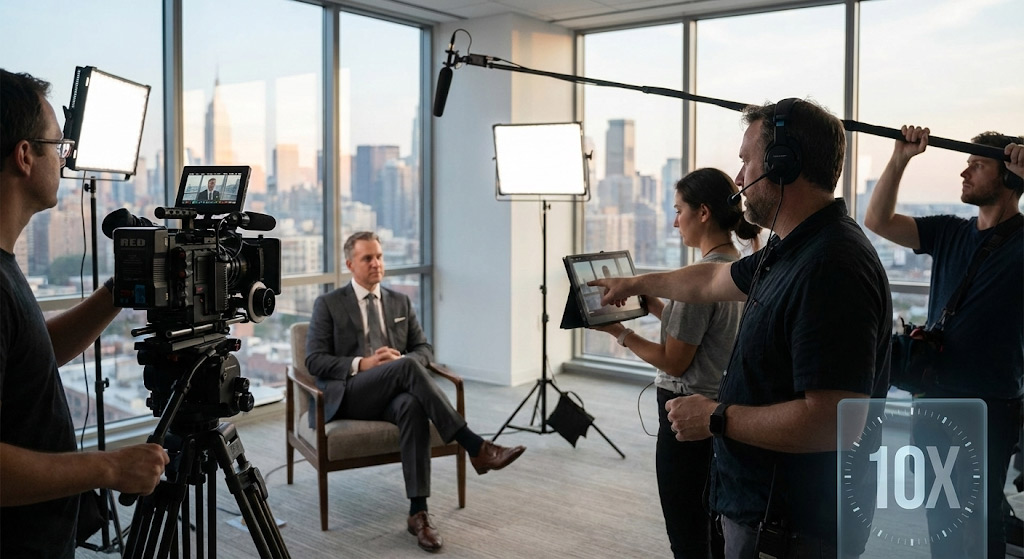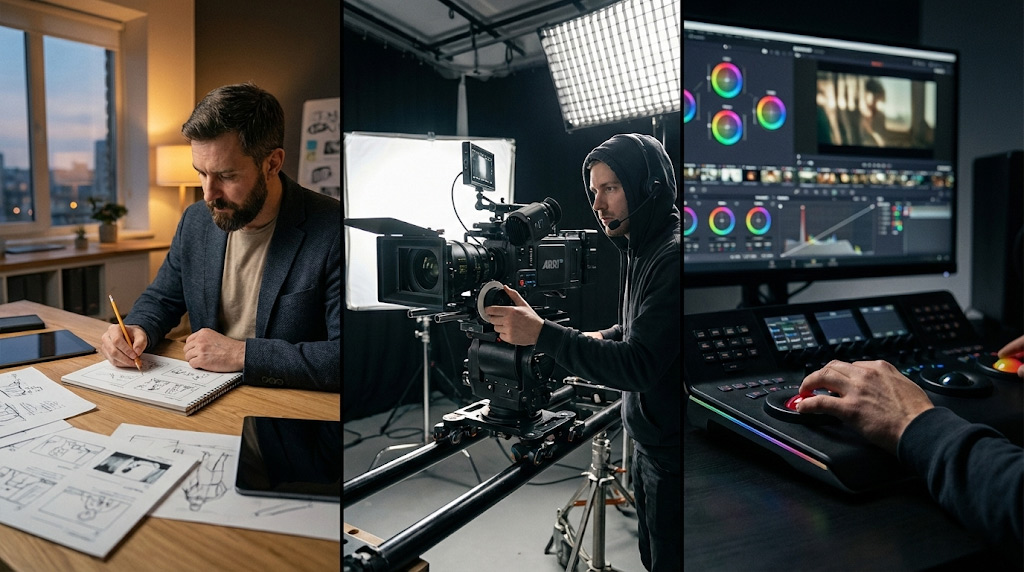
Executive Overview: The Strategic Architecture of Corporate Video
In the contemporary enterprise landscape, video production has evolved from a supplementary marketing tactic into a central pillar of corporate communication. It is no longer sufficient to view video merely as “filming”; rather, it must be understood as a sophisticated, multi-stage industrial process designed to convert strategic business objectives into tangible digital assets. For stakeholders in the B2B sector—ranging from marketing directors in financial services to operations managers in manufacturing—a nuanced command of this process is essential for maximizing Return on Investment (ROI) and ensuring brand integrity.
The production lifecycle is universally governed by three distinct yet deeply interconnected phases: Pre-Production, Production, and Post-Production. While these terms are ubiquitous, their operational realities are often obscured by simplified workflows that fail to account for the logistical density required at the enterprise level. A single minute of finished corporate video may represent hundreds of hours of collective labor, involving specialized roles from script supervisors to colorists, and requiring precise coordination between creative vision and logistical constraints.
This report provides an exhaustive, expert-level analysis of the video production ecosystem. It moves beyond surface-level definitions to explore the causal relationships between planning rigor and execution efficiency. By dissecting the granular mechanics of each phase—from the mathematical precision of stripboard scheduling to the color science of log-profile grading—we illuminate the hidden architecture that distinguishes high-impact corporate content from amateur execution. The insights presented herein are derived from industry observations and standardized practices, offering a roadmap for navigating the complexities of modern video production.
Phase 1: Strategy and Development – The Foundation of ROI

Before a single camera lens is selected or a location scouted, a rigorous strategic phase must occur. This “Phase 0,” often conflated with pre-production, is distinct in its focus: it translates business goals into creative parameters. Without this foundational work, production becomes a rudderless exercise in spending, prone to scope creep and strategic misalignment.
Defining the Core Objective and “Why” Analysis
The genesis of successful video production lies in the “Why.” Industry analysis suggests that projects initiated without a consolidated strategy frequently suffer from inefficient resource allocation and diluted messaging. The first step is to rigorously interrogate the business needs. Is the asset intended to drive top-of-funnel brand awareness, where emotional resonance and cinematic production values are paramount? Or is it a bottom-of-funnel training tool requiring instructional clarity and retention-focused pacing?
- Business Alignment: A video designed for investor relations requires a tone of stability, transparency, and gravitas, necessitating specific choices in lighting (high-key, trusted) and editing (deliberate, measured). Conversely, a recruitment video for a tech startup may demand dynamic camera movement and fast-paced cutting to convey energy and innovation.
- Audience Profiling: Deep analysis of the target demographic influences technical specifications from day one. For instance, if the primary consumption device is mobile (e.g., social media feeds), the production must account for vertical (9:16) or square (1:1) framing protections during filming. If the audience is C-suite executives viewing on desktop monitors, 4K resolution and high-fidelity audio become non-negotiable markers of quality.
- The Medium Justification: Video is a high-cost medium. Strategic development involves confirming that video is indeed the most efficient tool for the job. Complex demonstrations, emotional testimonials, and brand storytelling benefit from video; simple data dissemination might be better served by static infographics.
The Creative Brief: The Project Constitution
The Creative Brief is the governing document of the production. It is not merely a suggestion form but a binding agreement that aligns the client (internal or external) and the production team on the vision. A robust brief acts as a firewall against “scope creep”—the gradual expansion of project requirements that can decimate budgets and timelines.
Essential Components of a Strategic Creative Brief:
- Key Messaging: The “single-minded proposition.” If the viewer remembers only one thing, what must it be?
- Tone and Style: Specific keywords such as “professional,” “playful,” “urgent,” or “empathetic” guide the director and cinematographer. Reference videos (“mood boards”) are crucial here to align abstract adjectives with concrete visual examples.
- Deliverables Matrix: A precise inventory of required assets. A project is rarely just “one video.” It is often a main asset (e.g., 2 minutes), several social cut-downs (15 and 30 seconds), and clean versions for international localization (no on-screen text).
- Success Metrics: Defining Key Performance Indicators (KPIs) such as view-through rate (VTR), click-through rate (CTR), or direct conversion attribution allows the production team to reverse-engineer the content to achieve these metrics.
Phase 2: Pre-Production – The Blueprint for Success
Pre-production is frequently the most underestimated phase of the video lifecycle, yet it is the primary determinant of a project’s budget efficiency and creative success. It is the phase of risk mitigation. Industry standard dictates that every hour spent in pre-production saves two to three hours during production and post-production. The rigorous planning undertaken here is directly inversely proportional to the chaos experienced on set.
Scripting and Concept Development: The A/V Framework
The script is the skeleton upon which the visual flesh is hung. In corporate production, scripting rarely follows the standard screenplay format used in Hollywood. Instead, an A/V Script (Audio/Visual) format is preferred. This dual-column structure separates the audio experience (dialogue, voiceover, music cues) on the right from the visual experience (B-roll, graphics, screen action) on the left.
- The Narrative Arc: Even 30-second commercials require a structural arc: a hook (beginning), a retention phase (middle), and a payoff/call-to-action (end). The corporate narrative typically follows a problem-solution structure: establishing a pain point, introducing the product/service as the hero, and demonstrating the resolution.
- Pacing and Word Count Mathematics: A critical pre-production task is timing the script. A common industry rule of thumb is that 130-150 words of spoken dialogue equal approximately one minute of screen time. Exceeding this density results in rushed delivery or viewer cognitive overload. Pre-production allows for “table reads” where the script is read aloud to test this timing and ensure the language sounds natural rather than “written”.
- Legal and Compliance Review: For regulated industries (finance, healthcare, insurance), scripts must undergo legal vetting during this stage. Changes made to the script after filming begins can necessitate costly reshoots or complex post-production fixes (e.g., ADR – Automated Dialogue Replacement). This is a critical bottleneck that must be scheduled early.
Storyboarding and Visual Planning
While the script appeals to the logical brain, the storyboard appeals to the visual. It transforms abstract text into concrete imagery, ensuring the client and the director share a unified vision before expensive crews are hired.
- Shot Visualization: Storyboards dictate camera angles (wide, medium, close-up), movement (pan, tilt, dolly), and composition. They clarify exactly what will be seen, which is crucial for managing client expectations.
- Style Frames: For animation or motion graphics projects, “style frames” are created. These are high-fidelity, full-color static images that represent the final look of the video, establishing color palettes, character designs, and typography before the labor-intensive animation process commences.
- Shot Lists: A derivative of the storyboard, the shot list is a practical document for the crew. It itemizes every specific angle needed (e.g., “MCU of CEO hands,” “Wide of factory floor”). This ensures that no critical footage is forgotten in the heat of production.
The Logistics of Location: Technical Scouting
The logistical complexity of pre-production scales exponentially with the number of locations. Finding a location is only the first step; validating it is where the work lies.
- The Tech Scout: Once a location is creatively approved, a “Tech Scout” is performed. Key crew members (Director, Producer, Gaffer, Sound Recordist) visit the site to assess technical feasibility.
- Sound: Is there a noisy HVAC system? Is the location under a flight path? (Audio issues are notoriously difficult to fix in post).1
- Power: Are there dedicated circuits for lighting? Does the location require a generator?
- Access: Can equipment carts fit through the doors? Is there a freight elevator?
- Sunlight: Using apps like SunSeeker, the DP tracks the sun’s path to determine the best time of day to shoot specific angles.
- Permitting and Insurance: Filming in public spaces or office parks often requires permits from city or building management. Corporate liability insurance (COI) is non-negotiable to cover crew safety and equipment damage.
Talent Acquisition and Management
Corporate video talent ranges from professional actors to the company CEO. Each requires a different management approach.
- Casting Professionals: For commercials or narratives, casting directors hold auditions to find actors who embody the brand voice. Decisions here include union (SAG-AFTRA) vs. non-union talent, which has significant budget implications regarding residuals and rates.
- Internal Talent Pre-Interviews: When featuring employees, a “pre-interview” is conducted. The producer chats with the subject casually to identify their best stories and comfort level. This allows the producer to craft questions that elicit specific, authentic responses on shoot day, essentially “scripting” the unscripted content.
Scheduling and Critical Path Analysis
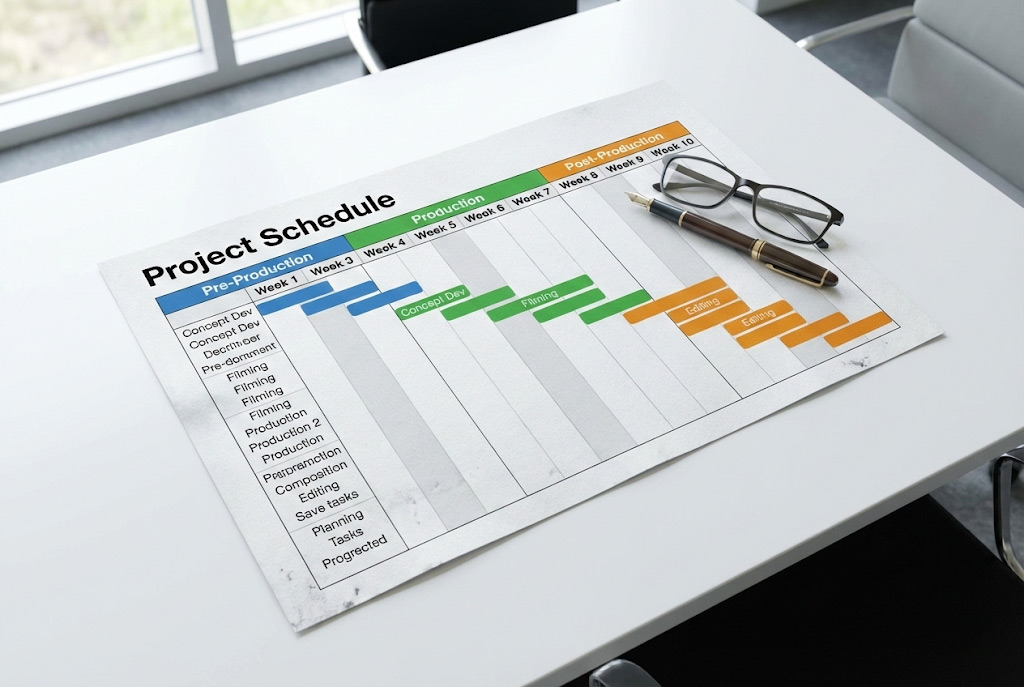
The production schedule is a living document that coordinates the movement of people and equipment. It is not merely a calendar but a logistical puzzle.
- Stripboard Scheduling: Scenes are rarely shot in chronological order. They are grouped by location and talent availability to maximize efficiency. A “company move” (moving the entire crew from one location to another) consumes significant time and is minimized whenever possible.
- The Call Sheet: The daily operational roadmap. It details call times (arrival times) for every crew member, nearest hospital locations, weather forecasts, and specific scene orders. It is the legal record of who was expected where and when.
- Critical Path Management: Identifying dependencies is key. For example, a location cannot be finalized until the budget is approved; actors cannot be cast until the shoot dates are set. Project management tools (Asana, Trello) are often used to track these dependencies.
Budget Allocation and Management
A comprehensive budget tracks line items across all three phases, ensuring transparency.
- Above-the-Line Costs: Fees for creative directors, producers, writers, and “star” talent.
- Below-the-Line Costs: Crew day rates, equipment rentals, catering, location fees, and post-production hourly rates.
- Contingency Funds: Industry standard dictates a 10-15% contingency buffer to handle unforeseen expenses (e.g., weather delays, equipment failure, overtime). A budget without contingency is a risk.
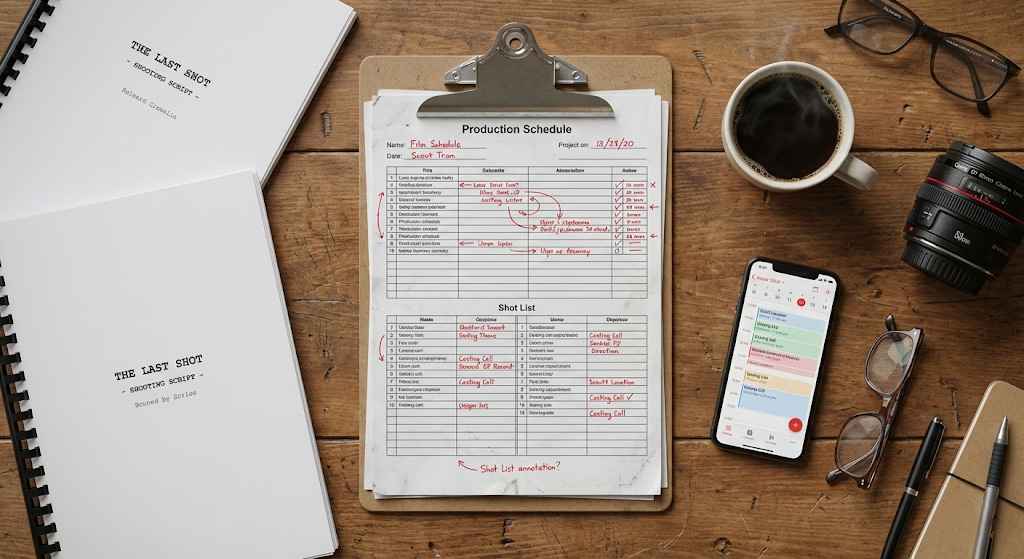
Alt Text: video production pre-production checklist divided into creative, logistics, talent, and technical categories.
Phase 3: Production – Execution and Acquisition
Production is the most visible and capital-intensive phase. It is the “point of no return” where the planning is stress-tested against reality. The objective of production is data acquisition: capturing high-quality video and audio assets that will be manipulated in post-production. It involves the coordination of technical craft, personnel management, and artistic direction under strict time constraints.
The Hierarchy of the Set
A professional video set functions through a rigid hierarchy designed to maintain order, safety, and efficiency. Understanding these roles helps clients know who to address with questions.
- The Producer: The operational lead. Responsible for keeping the project on time and on budget. They manage client expectations, solve logistical crises, and ensure the crew is fed and safe.
- The Director: The creative lead. Responsible for performance and visual storytelling. They direct the actors/interviewees and guide the cinematographer. They are the single point of creative decision-making on set.
- The Director of Photography (DP/Cinematographer): Responsible for the visual look. They manage the camera and lighting crews to achieve the director’s vision. They interpret “mood” into technical decisions about aperture, lens choice, and lighting ratios.
- The Gaffer: The head electrician. They execute the lighting plan designed by the DP, managing power distribution and light placement.
- The Key Grip: Responsible for “rigging.” They manage the equipment that supports cameras (dollies, cranes) and shapes light (stands, flags, silks). They are also safety officers for overhead rigging.
- Audio Engineer: Often the unsung hero. Poor audio is the primary marker of amateur video. The audio engineer monitors sound levels, mitigates environmental noise, and manages microphones.
Technical Workflows on Set
- Lighting (Cinematography): Lighting is not merely about exposure; it is about mood and dimension. Corporate interviews typically utilize a “three-point lighting” setup:
- Key Light: The main light source, illuminating the subject.
- Fill Light: Fills in the shadows created by the Key Light, controlling the contrast ratio.
- Backlight (Rim Light): Separates the subject from the background, adding depth.
- Observation: Modern LED lighting allows for instant color temperature adjustments, matching indoor lights to outdoor daylight seamlessly, a significant efficiency improvement over older tungsten lights.
- Audio Capture: Dual-system sound is the standard. Audio is recorded to a dedicated high-fidelity recorder, separate from the camera, to ensure redundancy and quality. A “clap sync” or slate is used to visually and audibly mark the start of a take, allowing for synchronization in post-production.
- Microphone Selection: Shotgun microphones (on a boom pole) offer the most natural sound, while Lavalier microphones (clip-on) provide isolation in noisy environments.
- Camera & Lens Choice: The choice of lens dramatically affects the viewer’s psychological response. A wide-angle lens can make a space feel expansive or a subject feel distant. A telephoto (long) lens compresses the background, isolating the subject and creating a flattering portrait look often used in executive interviews.
- Resolutions: Shooting in 4K or 6K allows editors to “punch in” (zoom) in post-production without losing quality, effectively turning a single camera angle into two (a wide and a close-up).
The Anatomy of a Production Day
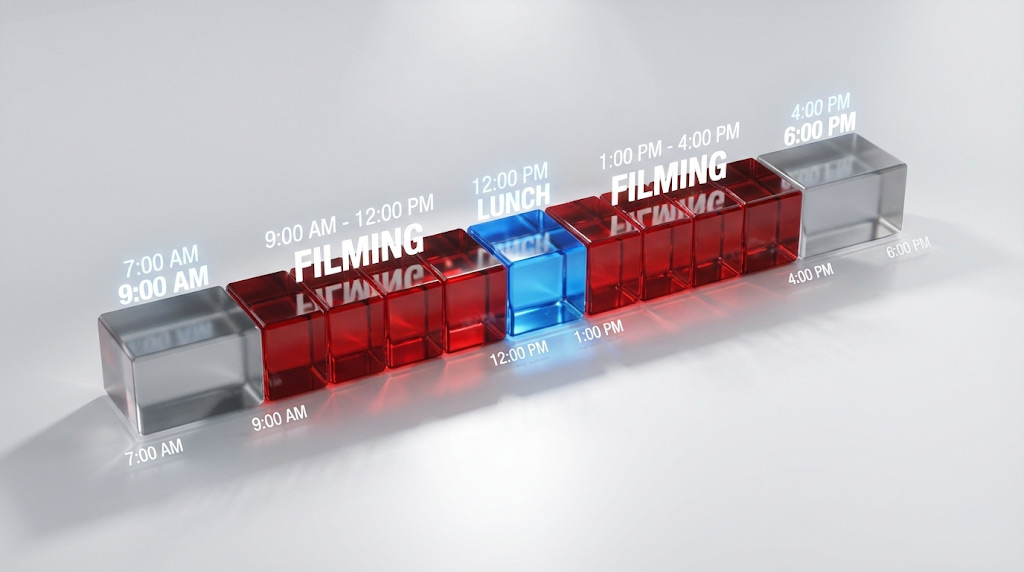
The speed of production is often overestimated by stakeholders. A standard production day is 10 hours (door-to-door), but 12 hours is not uncommon. Fatigue management is a critical safety consideration.
Phase 4: Post-Production – The Art of Assembly
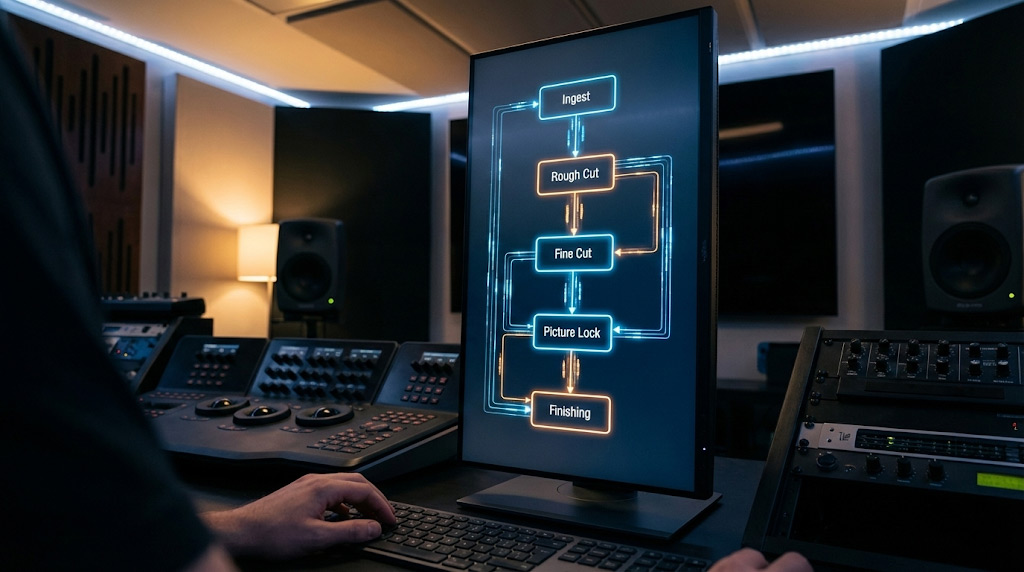
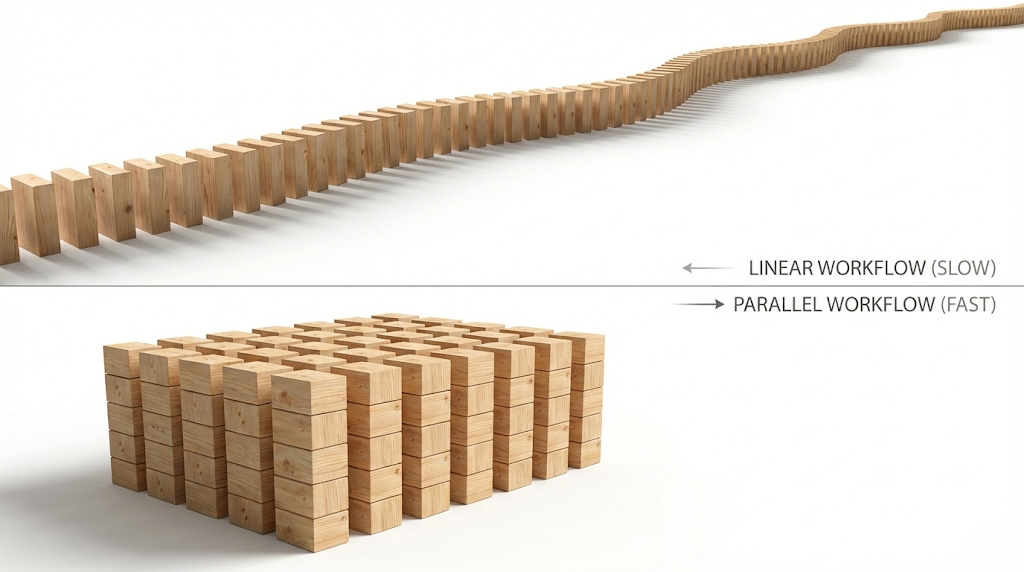
If production is about gathering ingredients, post-production is cooking. It is a highly technical phase where the story is truly written. Modern post-production is not a linear process but a parallel workflow involving multiple specialists working in concert to refine the raw assets into a polished product.
The Data Workflow: Ingest and Organization
Before editing begins, the Assistant Editor (AE) secures the footage. This is the “mise-en-place” of editing.
- Ingest: Transferring raw files from camera cards to redundant storage systems (RAID arrays or NAS).
- Proxy Generation: Creating lower-resolution, lightweight copies of the footage (Proxies) for smoother editing performance on laptops or over cloud networks. The final export swaps these back for the high-resolution originals (Online/Offline workflow).
- Logging and Tagging: Metadata is added to clips. The AE watches all footage, marking “Good” takes, identifying specific lines of dialogue, and organizing media into bins (folders) by scene or topic.
The Editing Stages: A Structured Approach
Editing is an iterative process. Rushing to a “final” look immediately is inefficient.
- The Assembly Cut (Stringout): A rough sequence of all selected takes in script order. It is often 30-50% longer than the target duration and focuses on structure rather than pacing. It includes every line of dialogue that might be used.
- The Rough Cut: The first version shown to internal stakeholders. It refines the pacing, removes errors, and establishes the narrative flow. Audio is rough, and color is untreated. B-roll is placed to cover edits. This is the stage for structural feedback (e.g., “Remove this section,” “Change the order of topics”).
- The Fine Cut: The version where the edit is locked down. Transitions are smoothed, music is timed perfectly to cuts, and the rhythm of the piece is finalized. Feedback here should be granular (e.g., “Swap this specific shot,” “Lower the music volume slightly”).
- Picture Lock: A critical milestone. Once “picture lock” is declared, no frames are added or removed. This allows parallel teams (Sound, Color, VFX) to work without their timing references being broken.
Specialized Finishing Processes
Once the picture is locked, the project moves to “Finishing.”
- Color Correction vs. Color Grading:
- Correction: Fixes technical issues. Matching the color balance between two different cameras or fixing exposure issues.
- Grading: Applies a creative “look” or mood. Making a corporate office feel warm and inviting, or a tech lab feel cool and futuristic.
- Sound Design and Mixing: This involves “sweetening” the audio.
- Dialogue Editing: Removing “ums,” “ahs,” and mouth clicks.
- Mixing: Balancing levels (LUFS standards) so the music doesn’t overpower the voice.
- Sound Design: Adding subtle sound effects (SFX) like room tone, technology beeps, or swooshes to enhance realism and engagement.
- Motion Graphics and VFX: Lower thirds (name titles), animated logos, and visual effects are composited over the locked picture. This ensures branding guidelines are met.
The Feedback Loop and Revision Management
Client revisions are the primary source of delays in post-production. Efficient management here is crucial for timeline adherence.
- Review Platforms: Tools like Frame.io allow stakeholders to leave frame-accurate comments directly on the video timeline (e.g., drawing an arrow on a frame and typing “Remove this coffee cup”). This eliminates confusing email threads like “At 1:04, can you change the thing?”.
- Revision Limits: Standard contracts include 2-3 rounds of revisions. “Scope creep” occurs when clients request structural changes after the Fine Cut or Picture Lock stage, necessitating a return to the drawing board and incurring overage costs.
Delivery and Archiving
Delivery is not just “sending a file.” It involves a package of assets optimized for various platforms.
- Master File: High bitrate (ProRes 422 HQ or DNxHR), textless (clean) version for archiving.
- Web Versions: H.264/H.265 compressed files optimized for YouTube/Vimeo (16:9).
- Social Versions: Square (1:1) and Vertical (9:16) crops with burned-in captions (SRT files) for mobile viewing where sound is often off.
- Project Archive: A consolidated hard drive containing all raw footage, project files, music licenses, and assets. This is vital if the client wants to update the video in two years.
Video Production vs. Post Production: What’s the Difference?
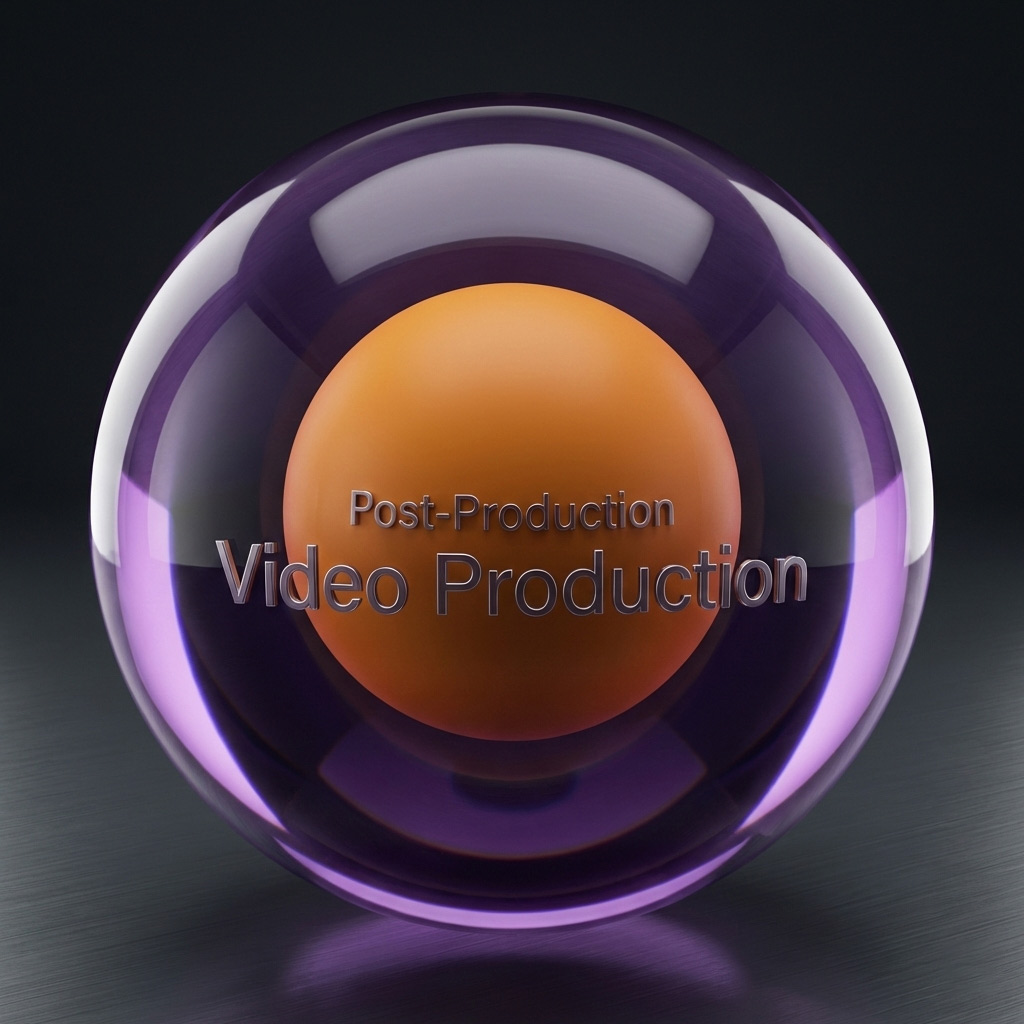
A common source of confusion in budget discussions is the distinction between “Video Production” and “Post-Production.” While often used interchangeably by laypeople, they represent different scopes of work.
- Video Production is the umbrella term for the entire lifecycle, encompassing Pre-Production, Production, and Post-Production. When an agency quotes for “Video Production,” they are quoting for the strategy, the filming, and the editing.
- Post-Production refers specifically to the final phase only—the editing, coloring, and sound mixing. If a client provides raw footage to an agency and asks them to “make a video,” they are purchasing Post-Production services, not Video Production.
Corporate Video Production: Industry-Specific Timeline
Corporate video production introduces specific variables that differ from feature film or documentary work, primarily revolving around stakeholder management and compliance.
The “Corporate” Factor
In a corporate setting, the “script” is often a “messaging framework.” Unlike a film where the dialogue is locked, corporate videos often rely on unscripted interviews to generate authenticity.
- Executive Availability: Scheduling C-suite executives for filming is often the primary bottleneck. Pre-production must account for narrow windows of availability (often 30-45 minutes) requiring the crew to be set up hours in advance.
- Approval Hierarchies: Unlike a commercial with one creative director, corporate videos often require sign-off from Marketing, Legal, Compliance, and HR. This “committee approval” process can extend post-production timelines by weeks.
Strategic Analysis: Timelines, Bottlenecks, and Efficiency
Understanding the variables that impact production timelines allows for better resource planning and expectation management.
Realistic Production Timelines
The duration of a project varies wildly based on complexity. A “simple” video is rarely simple if it requires animation or multiple stakeholders.
Table 3: Estimated Production Timelines by Scope
| Video Type | Pre-Production | Production | Post-Production | Total Timeline |
| Social Media Short | 1-3 Days | 0.5 Days | 1-2 Days | 3-7 Days |
| Corp. Interview / Testimonial | 1-2 Weeks | 1 Day | 1-2 Weeks | 3-5 Weeks |
| Product Explainer / Demo | 2-3 Weeks | 1-2 Days | 3-4 Weeks | 6-9 Weeks |
| High-End Commercial / Brand Anthem | 4+ Weeks | 2-5 Days | 4-8 Weeks | 10-15 Weeks |
| Animated Explainer | 2-3 Weeks (Script/Style) | N/A (Animation) | 4-6 Weeks | 6-9 Weeks |
How to Accelerate Video Production Timelines
In the traditional “Waterfall” model, post-production waits for production to finish. However, modern digital workflows allow for Parallel Processing to compress timelines.
- Accelerator #1: Lock Pre-Production Early: A clear brief equals faster production and post-production.
- Accelerator #2: Parallel Work Streams: While scripting happens, location scouting and casting can occur simultaneously.
- Accelerator #3: Establish Approval Gates: Define who signs off on what before the project starts to avoid “approval paralysis” later.
- Accelerator #4: Cloud Collaboration: Using tools that allow editors to stream footage from the cloud enables remote teams to work simultaneously, reducing turnaround times.
Questions to Ask Before You Start Video Production
Purpose: Empower readers with evaluation framework
- “What’s included in pre-production, and how long does it typically take?”
- Why: Separates thoughtful agencies from fast-and-loose ones.
- “How many revision rounds are included, and what counts as a revision vs. a change?”
- Why: Prevents scope creep and hidden costs.
- “What’s your typical timeline for [our specific video type]?”
- Why: Gets realistic expectations, not generic answers.
- “Who needs to approve what, and when?”
- Why: Identifies potential delays (especially in corporate environments).
- “What happens if the timeline slips—how does that impact cost?”
- Why: Clarifies responsibility and contingency planning.
Frequently Asked Questions (FAQ)
1. How long does it really take to produce a 2-minute corporate video?
A typical 2-minute corporate video generally takes 6 to 8 weeks from kickoff to final delivery. While the actual filming might only take one day, the bulk of the timeline is consumed by pre-production planning (2-3 weeks) and post-production editing and revisions (3-5 weeks). Timelines can be accelerated, but often at the cost of budget or creative complexity.38
2. Why is video production so expensive?
Video production costs are driven by personnel and time, not just equipment. A professional shoot may require a crew of 5-10 specialized technicians (Director, DP, Audio, Grip, Gaffer) working a 10+ hour day. Furthermore, for every hour spent filming, there are typically 3-5 hours spent in pre-production planning and post-production editing. You are paying for the hundreds of hours of skilled labor required to ensure the final asset is polished and effective.38
3. What is the difference between a “revision” and a “change of scope”?
A revision is a tweak to the existing material (e.g., “Use a different take of this interview,” “Make the music quieter,” “Change this font”). A change of scope is a fundamental alteration to the agreed-upon plan (e.g., “Let’s add a new scene we didn’t film,” “Change the entire concept,” “Make the video 5 minutes instead of 2”). Revisions are usually included in the budget; scope changes are billed additionally.30
4. Can we just “fix it in post”?
“Fixing it in post” is a dangerous myth. While digital tools are powerful, they are expensive and time-consuming. Removing a background object or fixing bad audio can take days of extra work. It is always faster, cheaper, and higher quality to get it right on set during Production.7
5. How many rounds of edits do I get?
The industry standard is 2 to 3 rounds of revisions.
- Round 1: Structural changes (pacing, story flow).
- Round 2: Fine-tuning (color, sound mix, graphics).
- Round 3: Final polish.
Requests beyond this usually incur an hourly overage fee.39
The Integrated Workflow as a Strategic Asset
The journey from “Idea” to “Asset” is a chain of custody where value is added at every link. Strategy defines the destination; Pre-production draws the map; Production drives the vehicle; Post-production refines the journey.
For Shot One Studio and its enterprise clients, mastering this integrated workflow is the differentiator between a vendor and a partner. A vendor shoots video; a partner manages the strategic lifecycle of visual assets. By adhering to the rigorous standards of Pre-Production planning, Production execution, and Post-Production finishing, organizations can transform video from a chaotic expense into a scalable, high-ROI asset that drives measurable business results.
Effective video production is not an act of magic; it is an act of management. It requires the synchronization of creative vision with logistical reality, ensuring that every frame captured serves the ultimate goal of the enterprise.